Source-based build study / Automation
GitSecureOps
A GitHub operations console for repository access, organization workflows, and Copilot management.
A look at the interface
Repository UI preview
Visual from the public repository; displayed figures are not verified usage metrics or live telemetry.
View the original repository asset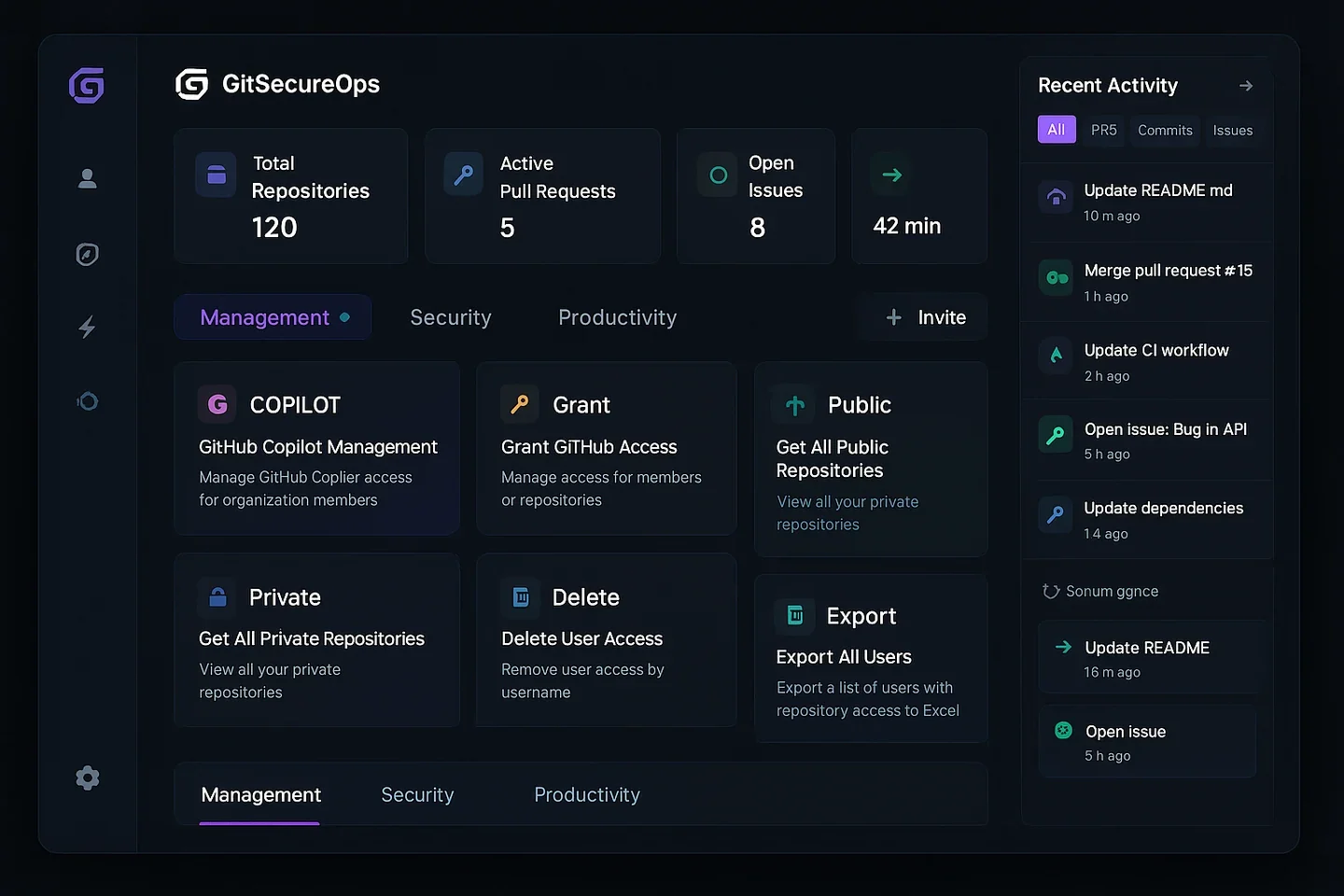
Build study / Observed, considered, next
An operations console is also a set of boundaries.
GitSecureOps is part of my public project collection. What I want to make inspectable here is the connection between a useful administration interface, the APIs behind it, and the permission boundaries a collaborator would need to understand.
This is a source-based case study of the public implementation. It separates what is present from what I would want to test or improve next; it does not reconstruct the project’s original timeline or assign individual commits to a sole author.
The problem it addresses
Repository access, organisation membership, and Copilot administration are related operational tasks with different permission requirements. A common interface can make them easier to inspect, but combining them must not make an unavailable result look like an empty result or a proposed change look like an approved action.
Role & scope
Public project owner: sumitmalik51. The reviewed code spans the React/TypeScript interface, authentication state, a GitHub service layer, Azure Functions, and deployment definitions. This page does not claim sole authorship of every part or a verified live rollout.
01 / Architecture
Follow the two request paths.
- Browser
- GitHub authorization
- Functions callback
- Browser session
- React query hooks
- Frontend service
- GitHub API
Browser interface
React routes, authentication context, and query hooks coordinate the operations UI.
Inspect sourceOAuth callback
An Azure Function exchanges the authorization code and returns a session payload to the frontend.
Inspect sourceGitHub service
The frontend service also calls GitHub directly. This is not an all-traffic-through-the-API architecture.
Inspect sourceInfrastructure
Deployment definitions keep the frontend, function app, and environment parameters alongside the application.
Inspect source02 / Decisions & consequences
Useful choices, explicit trade-offs.
A service layer between the UI and GitHub.
- In the source
- The frontend service centralises repository, membership, and Copilot operations. Query hooks call that service instead of embedding every request in a view.
- The trade-off
- This makes request behaviour easier to locate, but browser-side token use remains an explicit trust boundary. A separate OAuth callback does not automatically make every operation server-mediated.
Cache repeated reads, but keep identity in the picture.
- In the source
- The shared query client uses a five-minute stale time, two query retries, and refetching on reconnect. Hooks distinguish resources such as organisations and repository lists.
- The trade-off
- Less repeated fetching can make the interface calmer. The review question is what happens when the authenticated user or organisation changes: cache keys, invalidation, and permission-sensitive reads need to be tested together.
A graceful fallback must not erase uncertainty.
- In the source
- The GitHub service distinguishes invalid tokens, forbidden requests, missing resources, and rate-limit responses in its shared request helpers. Some higher-level methods fall back to empty arrays.
- The trade-off
- An empty array keeps a screen running, but “nothing found” is not the same as “not authorised” or “could not fetch”. Those states deserve separate presentation before an operator makes a decision.
03 / What I would review next
Keep the hard parts visible.
- Review session handling before any deployment: the inspected callback returns a token-bearing, base64-encoded session in the redirect, and the frontend persists the token in browser storage. Encoding is not encryption or a signed session.
- Exercise expired tokens, changed identities, restricted organisations, unavailable Copilot endpoints, and partial failures with mocked API responses.
- Make approval, scope, and uncertain write outcomes visible. Retry a state-changing operation only when its semantics and previous outcome make that safe.
These are proposed next review steps, not claims that the improvements have shipped. No account was connected and no GitHub operation was executed for this study.
04 / Walk the source
Three stops through the implementation.
A source walkthrough, not a recording of a running application. The repository image above is a UI preview; its figures are not usage evidence.
Start with identity.
Inspect how authentication is restored, validated against GitHub, and cleared when it fails.
Read authentication stateFollow a repository read.
Move from the query hook into the service, then check its pagination and error states.
Follow the query hooksInspect a change before running it.
Review the target, permission, and error path in the service. This walkthrough never executes an operation.
Inspect the operation layer
A useful place to collaborate.
Interested in API failure states, permissions, or a clearer operations experience? A focused review or a small, testable improvement is a good starting point.